
31 October 2026 · 6 min read
Staying connected: simple technology tips for older Australians
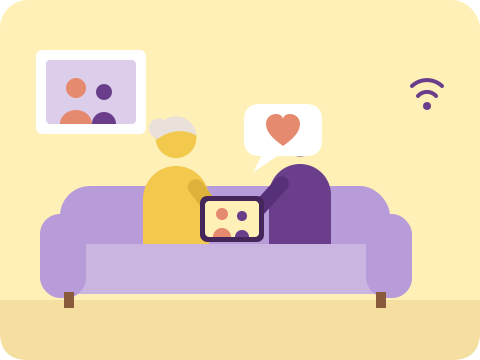
It's the little things that sting the most. A grandchild's birthday party happens over video call on someone else's phone, and you catch it secondhand the next day in a text message with three photos attached. Or your son rings his sister every Sunday, but you only hear how he's really going when she passes it on. You're not forgotten — everyone still loves you just as much — but somehow you've ended up on the outside of the conversation, watching family life happen through other people's screens instead of your own. It's a quiet kind of loneliness, the sort that's hard to explain to anyone because nothing dramatic has happened. The phone still rings sometimes. It's just that so much of family life has moved somewhere you can't quite reach.
Why it's harder than it looks
For anyone who didn't grow up with a smartphone in their pocket, the barriers aren't really about intelligence or willingness — they're physical and practical. Text that's too small to read comfortably. Buttons packed so close together that a slightly unsteady finger taps the wrong one. Menus that bury the one function you actually need under three layers of settings that mean nothing to you. A notification pops up about an app update, and suddenly the whole screen looks different to the one you learned yesterday.
Then there's the fear underneath all of that — the worry that one wrong tap will "break" the thing, that a dodgy text message or a scam phone call is one careless click away from costing you money or worse. That fear is not unfounded. Older Australians are targeted by scammers precisely because they're assumed to be less confident with technology, which only makes the whole experience feel more fraught. Every unfamiliar pop-up becomes a small moment of dread rather than curiosity.
And there's a quieter barrier too — pride. Asking your teenage grandson how to answer a video call feels fine the first time. Asking him again two weeks later, because you've forgotten, feels embarrassing. Asking a third time feels like admitting something about yourself you'd rather not admit. So a lot of people simply stop asking. They nod along when someone shows them, say "yes, got it," and then quietly never use the feature again because they didn't want to seem slow or ungrateful for the help.
Underneath all of this sits a simple, unglamorous truth: technology was not designed with ageing eyes, ageing hands, or a lifetime of different habits in mind. Struggling with it isn't a personal failing. It's a design problem that gets handed to the person least equipped to fix it on their own.
What people usually try first
The most common fix is the well-meaning grandchild tutorial. Someone visits, sits down with the tablet for twenty minutes over a cup of tea, taps through the steps, writes nothing down, and leaves saying "you'll be right now." And for about a week, you are. Then an update changes the layout, or you need to do it slightly differently because you're trying to call a different person, and the whole thing falls apart. The grandchild has gone back to their own busy life, and the knowledge they passed on wasn't really yours yet — it was borrowed, briefly, and it's gone again.
Generic "seniors and technology" classes, the kind run through a library or community centre, have their place, but they come with their own limits. They teach to a room full of strangers at a fixed pace, rarely circle back to check whether last week's lesson actually stuck, and don't know that it's specifically your daughter's number you want pinned to the home screen, or that your hearing makes you prefer text over calls. There's no one checking in afterwards when the inevitable hiccup turns up on a Tuesday afternoon with no class in sight.
So, understandably, a lot of people quietly give up and go back to the phone call — which is lovely, but it's not the same as seeing a face light up on screen, or scrolling through a dozen photos from a weekend away as if you'd nearly been there yourself. The problem never really needed a cleverer gadget. It needed someone who'd come back.
Someone who remembers, and comes back
This is where the staying connected support our carers provide at Home Care Mate works differently to a one-off lesson. A carer who visits regularly isn't starting from scratch each time. They remember that you've already been shown how to answer a video call, so this visit can build on that rather than repeat it. They remember which grandchild lives in Townsville and which one is the one who always rings on a Sunday evening. When something's gone wrong — a password's been forgotten, an app has updated itself overnight and moved all the icons around, a new feature has appeared that you didn't ask for and don't understand — there's someone coming back soon who already knows your setup and can sort it out without you having to explain the whole thing again from the beginning.
In practice, that support is quite hands-on and specific. It might mean setting up a one-tap shortcut on the home screen so that calling your daughter in Brisbane is as simple as pressing a single large icon, rather than hunting through a contacts list. It might mean moving you over to a large-button phone with a simplified menu, if a touchscreen has become more frustration than it's worth. It often means setting up a shared photo album with family, so new pictures of the grandkids simply appear on your tablet without you having to do anything at all — no tapping, no downloading, just a gentle, ongoing trickle of family life landing in front of you. For some households, it's a voice assistant set up to gently remind you about medication times or an appointment, so you don't need to read a screen at all to get the reminder.
The real value, though, isn't any single one of those things. It's the repetition and the patience — being shown something once, then shown again a fortnight later when you've forgotten half of it, without a trace of impatience either time. It's having someone to call when the screen looks unfamiliar and you genuinely don't know what you've done, who treats that question exactly the same whether it's the first time you've asked it or the fifth. Nobody keeps score. The goal is simply that you feel steady enough with the device that you reach for it instead of avoiding it.
It comes down to people, not products
No app or gadget on its own closes the gap between wanting to stay close to family and actually managing to do it. What closes that gap is consistent, patient human support — someone who shows up more than once, remembers what's already been explained, and treats the second and third question with exactly the same warmth as the first. Get that right, and the technology itself stops being the obstacle. It just becomes the thing that lets you see a grandchild's face light up on a Tuesday afternoon, right when it happens, instead of hearing about it secondhand the next day.
Book a free cuppa & chat